
Start Your 15-Day Free Trial
Your download will start automatically. The trial version is completely identical to the full licensed version with no feature restrictions.
Download didn’t start? Click here to download MEGAPART.
-
Install the Plugin
Ensure Autodesk® Inventor® is closed, then unzip the download and run the installer file.
-
Load the Plugin in Inventor
After installation, you may need to enable the add-in within Autodesk® Inventor®:
- Go to the Tools tab > Options panel > click Add-Ins.
- In the Add-In Manager dialog, locate MegaPart in the list.
- Ensure the Blocked checkbox is unchecked (if visible).
- Ensure the Loaded/Unloaded checkbox is checked.
Check Load Automatically to ensure the plugin is ready every time you start Inventor.
-
Launch and Locate
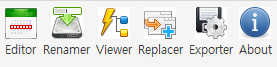
Open Autodesk® Inventor® and navigate to the Tools tab. The MEGAPART panel provides the Editor, Renamer, Viewer, Replacer, Exporter and About commands.
-
Activate the 15-Day Free Trial
Click the About icon in the MEGAPART panel. In the License Info section, select Trial from the License Source drop-down, and click Activate to immediately unlock a 15-day evaluation period with full functionality.
-
Try the Sample Files
To help you get started quickly and safely, MEGAPART provides pre-configured sample data in the Sample folder inside the installation path — multi-level assemblies (.iam & .ipt) for the iProperty Editor and Assembly Renamer, and sample drawings with Border and Title Block definitions for the Template Replacer.