
Smart Assembly Renamer
Effortless Batch Renaming for Complex Assemblies
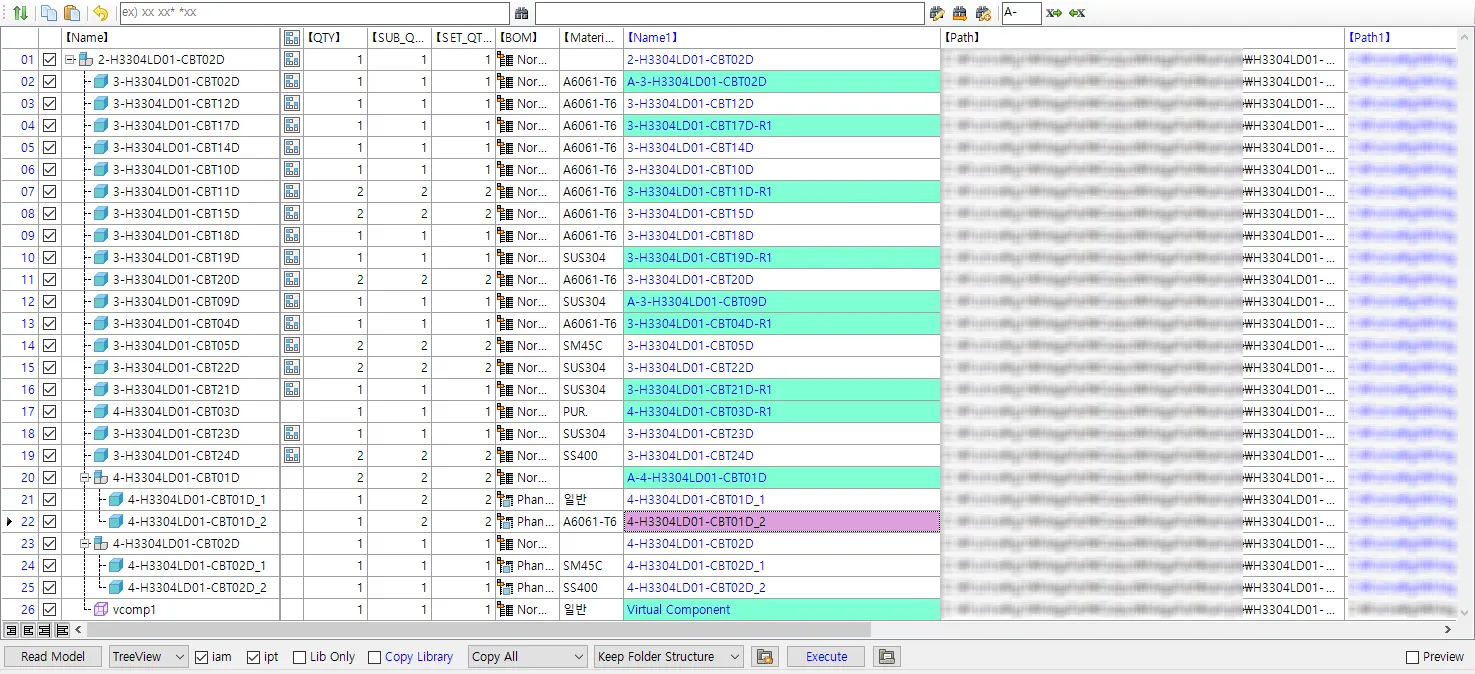
The Smart Assembly Renamer serves as your digital asset architect, allowing you to restructure and rename Inventor assemblies with absolute precision. It ensures that every component identity is updated while maintaining perfect reference integrity across your entire project hierarchy.
Core Benefits
Reference Integrity Preservation
Rename parts and assemblies without the risk of broken links, ensuring Inventor always maintains seamless data connections.
Intelligent Rule-Based Logic
Apply sophisticated naming conventions across hundreds of components instantly using powerful find-and-replace, prefix, and suffix tools.
Browser Node Synchronization
Automatically align Inventor browser names with actual filenames to maintain a clean, professional, and navigable workspace.
Safe Data Duplication
Generate unique assembly variations quickly while protecting your original source data from any unintended modifications.
Structural Control
- Advanced Find & Replace
- Rapidly update part numbers or project codes across entire assembly trees with surgical precision, eliminating manual search-and-edit tasks.
- Automated Prefix/Suffix
- Instantly add revision levels or project identifiers to multiple files in a single, synchronized action to maintain naming standards.
- Hierarchical Renaming
- Restructure top-level assemblies and sub-components simultaneously while keeping all internal dependencies and constraints intelligently intact.
Workflow Intelligence
- Zero-Risk Duplication
- Create “Save-As” copies of complex projects with entirely new naming schemes in seconds, automatically organized for immediate production use.
- Validation Engine
- Automatically detects naming conflicts or duplicate entries before applying changes, ensuring every rename operation is verified and safe.
- Batch Browser Update
- Ensures your Inventor Model Tree perfectly mirrors your file system, providing “Zero-Click” clarity for everyone on the engineering team.
Other Features
Unified iProperty Editor
Take full control of your metadata. Master the iProperties of your loaded model from a single, centralized grid view. Effortlessly batch-edit hundreds of properties across the entire assembly at once, ensuring 100% data consistency while eliminating hours of manual entry.
Configure iProperties
The Configure iProperties menu serves as your central control hub, allowing you to manage and customize which metadata fields are displayed and edited within the interface.
Intuitive Reference Viewer
Diagnose every file dependency instantly. Automatically scan the loaded assembly to detect broken links, missing references, and orphaned OLE links before they cause problems. Repair, relocate, or remove problematic references directly, all without ever leaving Inventor.
Instant Template Replacer
Standardize your project documentation instantly. Automatically swap title blocks and borders for all associated drawings within the loaded assembly. Ensure every sheet reflects your latest company standards and layer settings with zero manual effort required.
High-Speed Batch Exporter
Accelerate your final project delivery with a powerful export solution. Simultaneously convert all associated drawings into professional AutoCAD DWG, PDF, and High Quality Image formats to ensure fast and consistent delivery.
Start Your 15-Day Free Trial
Join innovative engineering teams who trust MEGAPART to automate repetitive CAD management, maintain data precision, and accelerate project delivery.